
Why INDD files are hard to open
INDD is the document format of Adobe InDesign, and only InDesign reads it in full. Windows cannot open it, File Explorer shows only an icon, and Adobe offers no free InDesign viewer.
So the realistic choices are to look at the preview stored inside the file, to ask for the document in a format other apps can read, or to use InDesign itself.
See the first page without opening the file
InDesign can save a preview of the document inside the INDD file. A thumbnail handler such as Design Previewer reads that preview, so the first page appears as the thumbnail in File Explorer and large in the preview pane, with no Adobe software on the PC.
That is enough to tell one brochure from another, or to check that you received the right version. It does not let you edit the layout or read every page.
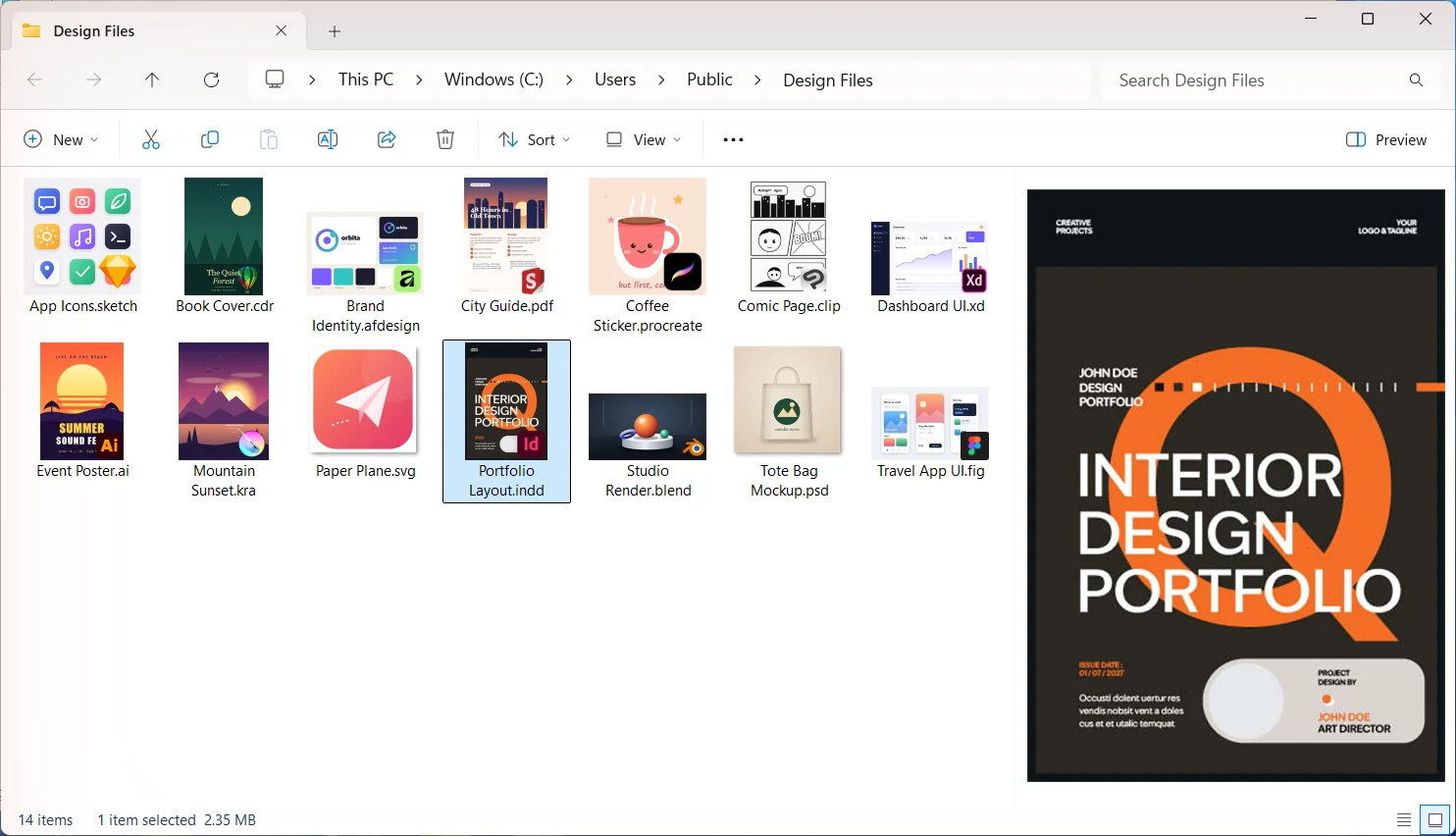
- 1Install Design Previewer. It is free for 15 days, with no account and no card.
- 2Open the folder with the INDD file and choose View, then Large icons.
- 3Select the file and press Alt+P to see its first page large.
If the file shows no preview
Then it was saved without one. Whoever has InDesign can turn on Always Save Preview Images with Documents, under Edit, then Preferences, then File Handling, and save the file again. Adobe’s help on saving documents describes the setting.
Ask for a PDF or an IDML file
The most reliable answer is to ask the sender for another format. A PDF shows every page exactly as designed and opens in any browser. An IDML file keeps the layout editable and opens in more apps than InDesign.
Either takes a minute in InDesign:
- 1For a PDF: File, then Export, and choose Adobe PDF (Print).
- 2For IDML: File, then Save a Copy, and choose InDesign CS4 or later (IDML) as the format.
Open an IDML file for free in Affinity
Affinity, by Canva, is free for individuals and imports IDML files, keeping their "layers and structure", in its makers’ words. That makes it the closest free way to work on an InDesign layout.
Install the fonts the document uses before you open it. Without them Affinity substitutes others and the text can reflow.
Take a quick look in your browser with Photopea
Photopea, a free editor that runs in the browser, says it opens INDD files and lists their pages and layers. How much of a complex layout comes through depends on the file, so treat it as a quick look rather than a faithful copy.
Be careful with other websites that offer to convert INDD files. Uploading a client’s document to a service you do not know may not be allowed under your agreement with them.
If you need to edit the file itself
For real changes to an INDD file there is still no substitute for InDesign. Adobe offers a free trial of InDesign on its website, which is also enough to export the PDF or IDML yourself.
 Read nextInDesign INDD thumbnails in Windows File Explorer